The Panel
RedLight lives in the 3D Viewport sidebar (N) under the RedLight tab.
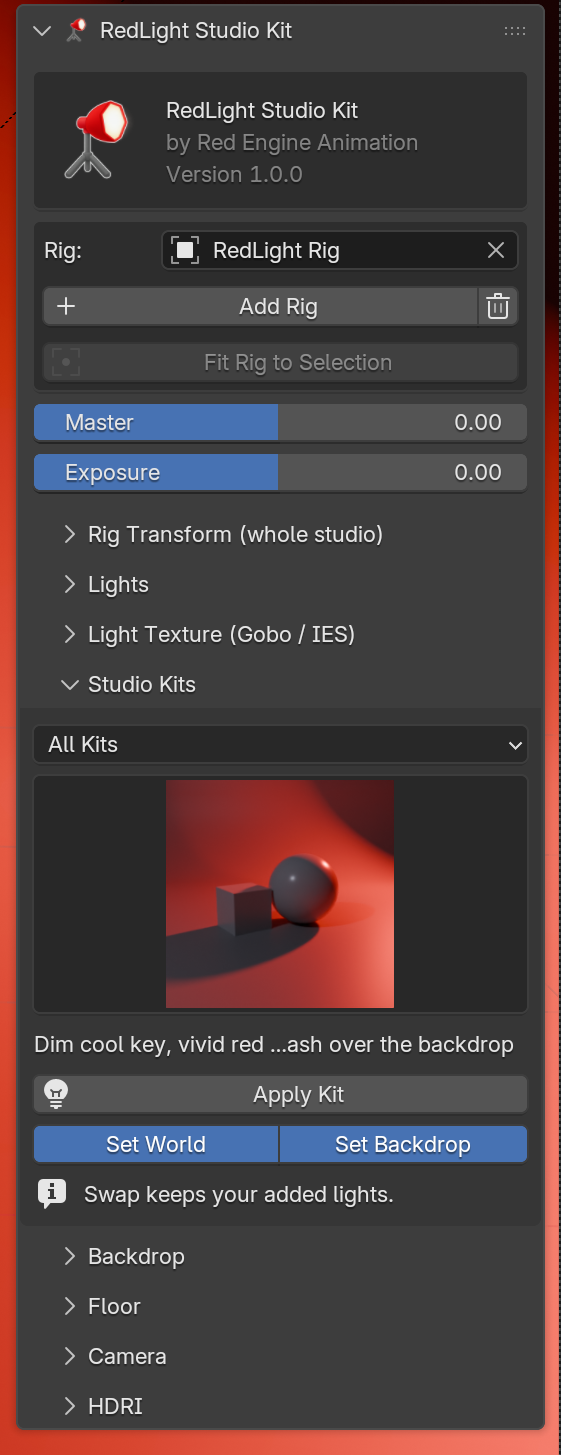
Header
The logo, the product name and the installed version.
Rig
| Control | What it does |
|---|---|
| Rig | The rig the panel is editing. Pick another rig here if the scene has several. |
| Add Rig | Creates a new rig at the world origin. |
| Trash icon | Removes the active rig with its lights, floor, backdrop and cameras. |
| Fit Rig to Selection | Moves the studio under the selected object and scales it to fit. Needs a selected object. |
See The Rig.
Master and Exposure
| Control | What it does |
|---|---|
| Master | Dims or brightens every rig light together, in stops (-10 to +10). It changes each light's Power, keeping their balance. |
| Exposure | Sets Blender's own per-light Exposure value on every rig light, in stops. |
New lights and newly applied kits pick up both values.
Sections
Each section opens and closes with the arrow next to its name.
| Section | Page |
|---|---|
| Rig Transform (whole studio) | The Rig |
| Lights | Lights |
| Light Texture (Gobo / IES) | Gobo & IES |
| Studio Kits | Studio Kits |
| Backdrop, Floor | Backdrops & Floor |
| Camera | Camera |
| HDRI | HDRI |
Rig Transform only appears once a rig exists.